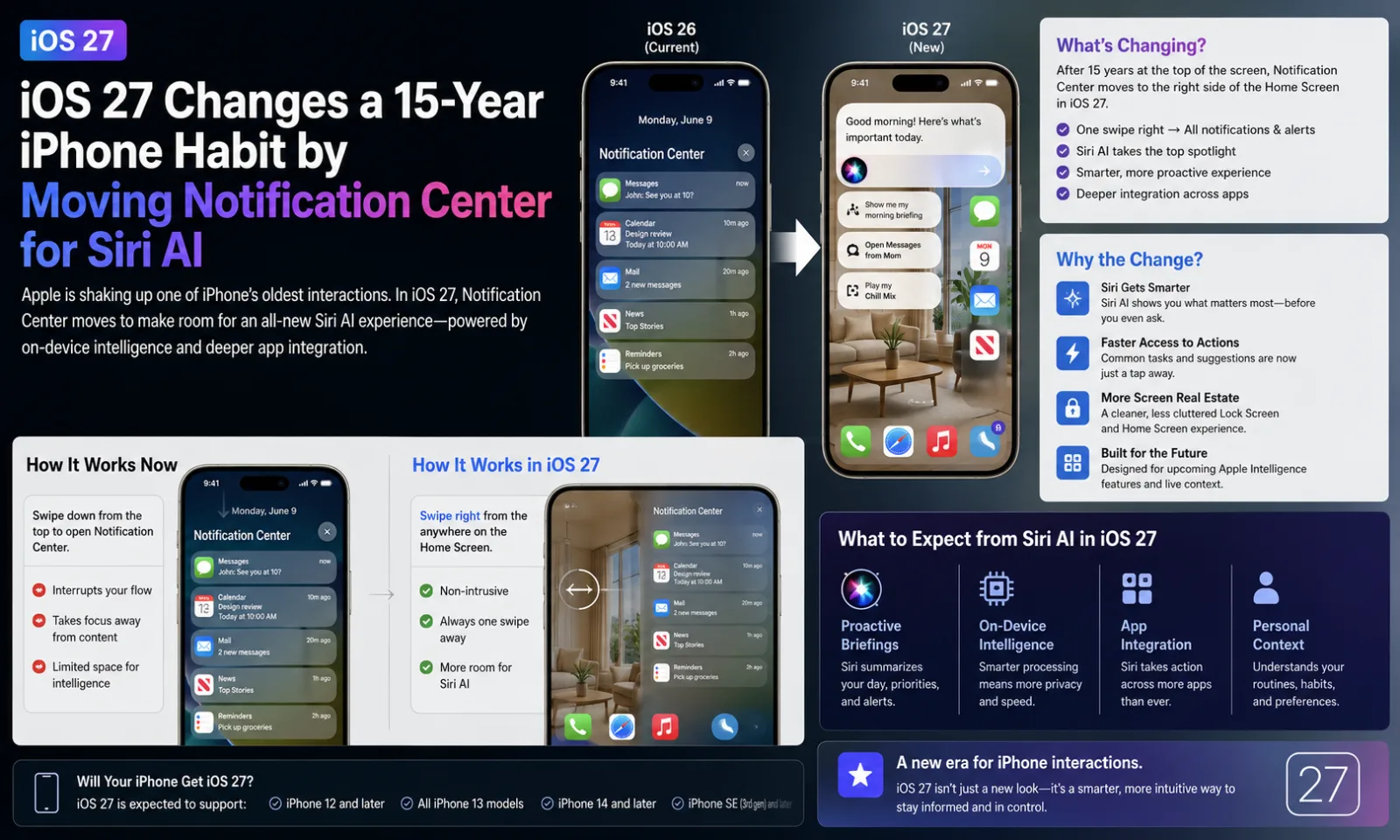
Apple is making one of the biggest navigation changes in iPhone history with iOS 27 and iPadOS 27. For the first time since Notification Center debuted in 2011, the familiar swipe-down gesture from the top center of the screen is being reassigned, giving priority to Apple's new AI-powered Siri experience.
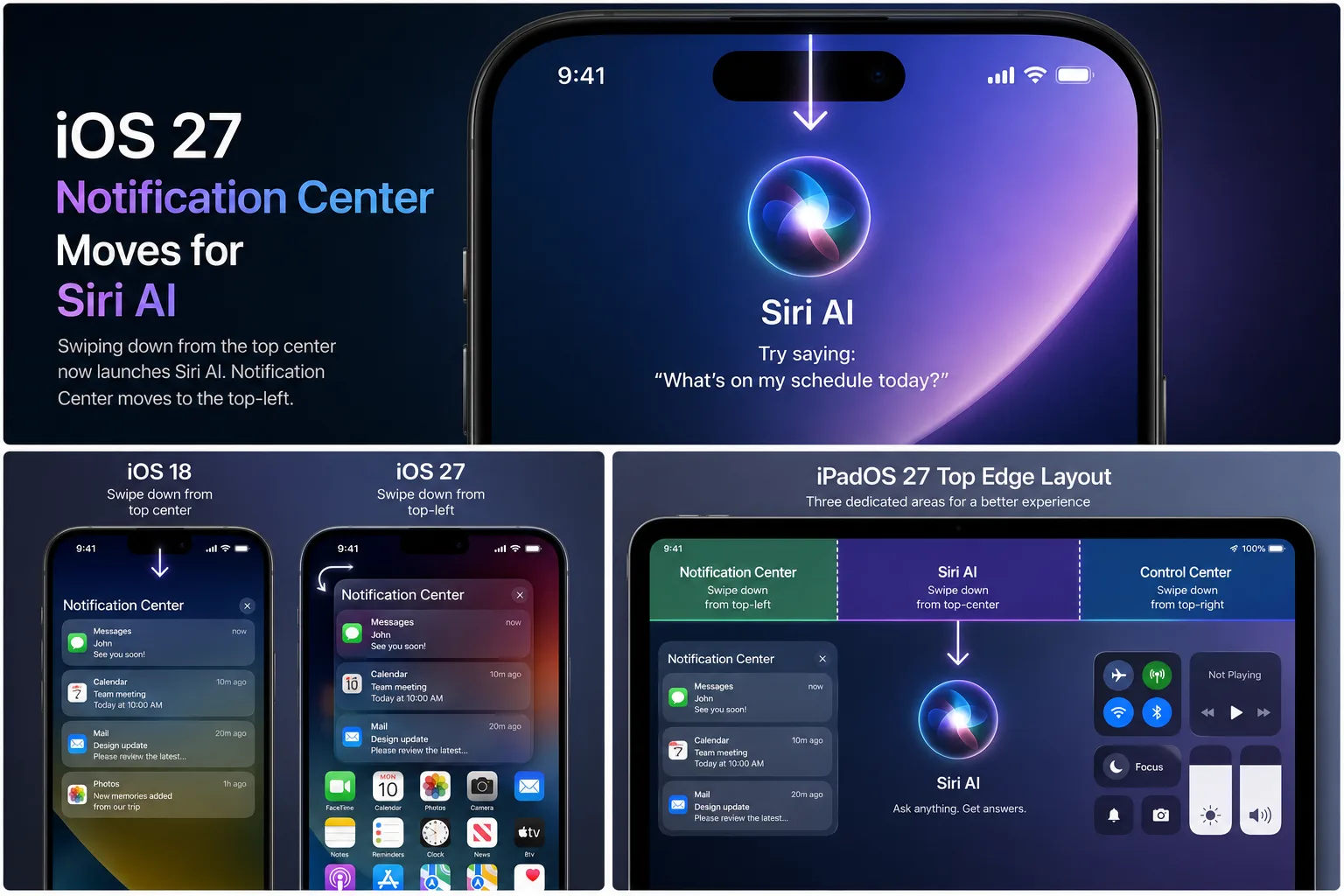
Notification Center Gets a New Home
Since the arrival of Notification Center in iOS 5, iPhone and iPad users have relied on a simple swipe down from the middle of the top edge to view alerts. That long-standing gesture has remained virtually unchanged for more than 15 years.
In iOS 27, the default behavior stays the same until users enable Apple's new Siri AI features. Once activated, swiping down from the center of the display launches Siri AI instead of opening Notification Center.
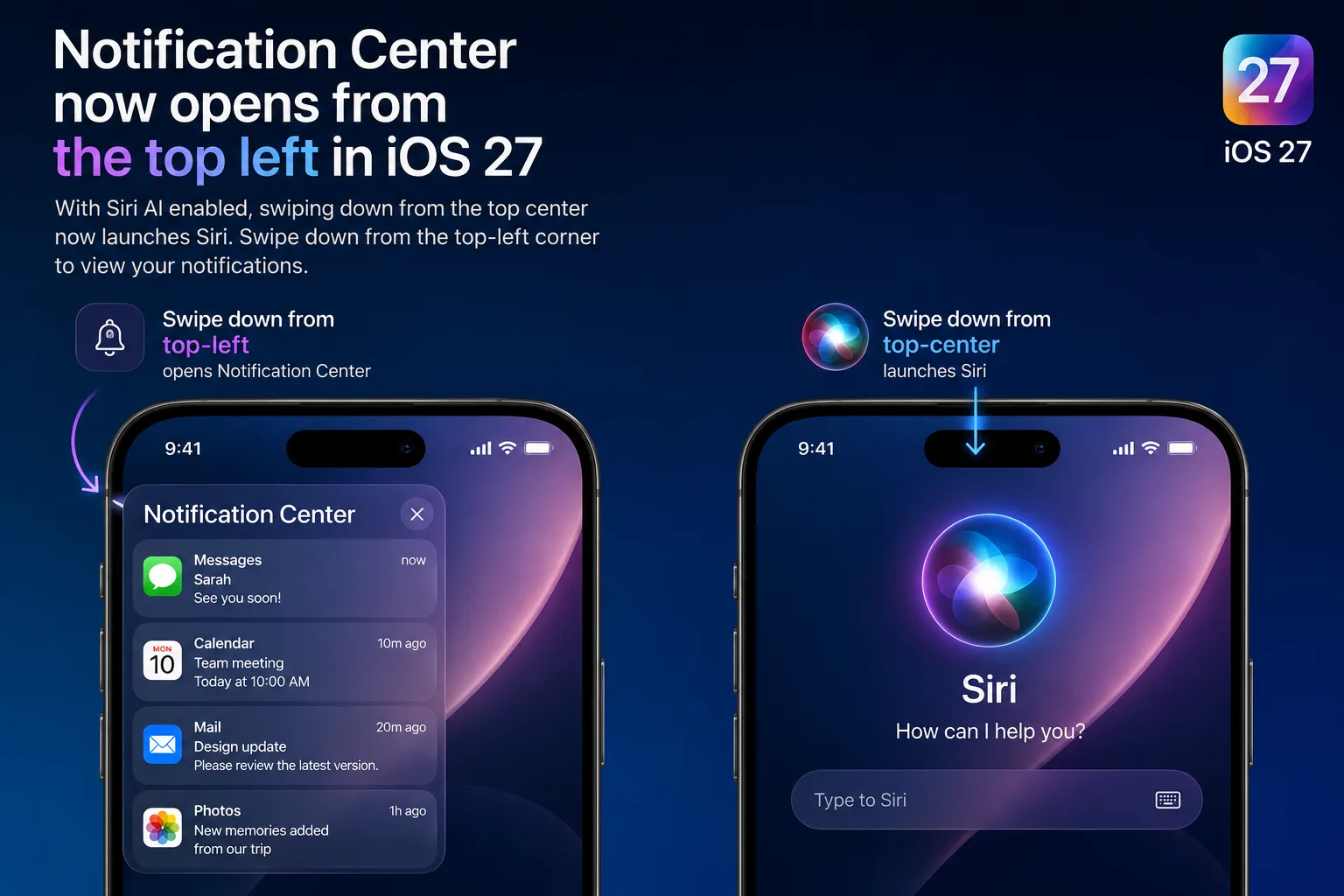
Top-Left Swipe Replaces the Familiar Gesture
Notification Center hasn't disappeared—it has simply moved. Users now access their notifications by swiping down from the top-left corner of the display. Apple has also updated the interface so notifications animate from that corner, reinforcing the new interaction.
The change makes the majority of the top edge available for quickly launching Siri AI, highlighting Apple's push to make artificial intelligence a central part of the iPhone and iPad experience.
Apple Continues Its Navigation Evolution
This isn't the first time Apple has significantly changed core navigation gestures. With the introduction of the iPhone X, Control Center moved from a swipe up at the bottom of the screen to a swipe down from the upper-right corner. That design later expanded across Apple's devices.
Now, Notification Center is receiving a similar redesign as Apple reorganizes the interface around its new AI assistant.
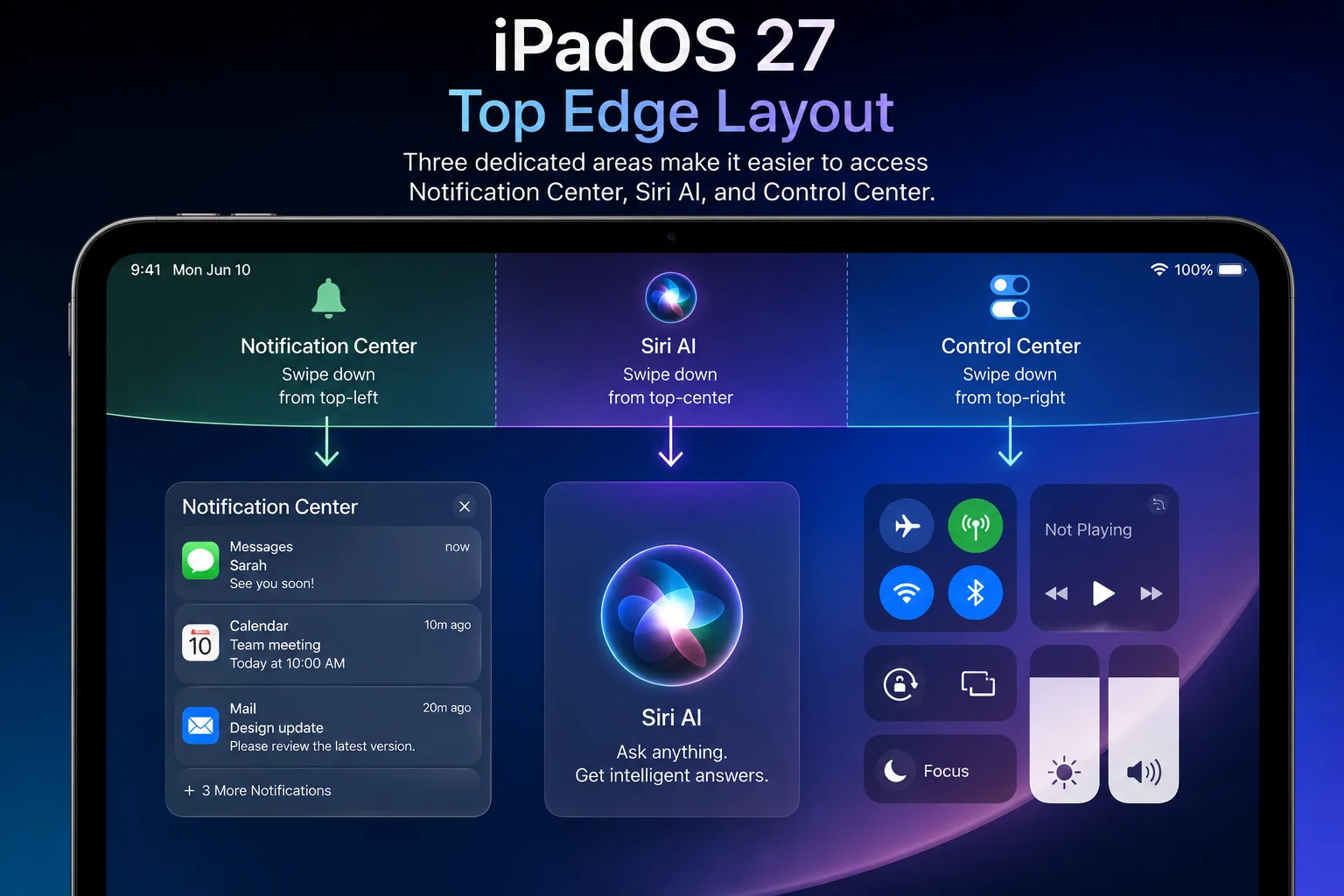
iPadOS 27 Refines the Gesture Areas
During the first iPadOS 27 beta, Apple devoted nearly the entire top edge to launching Siri AI, leaving a relatively small area for Notification Center. In later beta releases, the company adjusted the layout to create a more balanced experience.
The latest beta divides the top edge into three functional regions:
- Top-left: Notification Center
- Top-center: Siri AI
- Top-right: Control Center
This revised layout gives users larger and more consistent gesture zones while keeping Siri easily accessible.
Will Users Embrace the Change?
Changing a gesture that millions of iPhone owners have used for well over a decade won't happen without an adjustment period. Many users will need time to rebuild muscle memory and avoid instinctively swiping from the middle of the display when looking for notifications.
Early impressions of Apple's upgraded Siri AI have generally been positive, but some beta testers say they would appreciate an option to restore the original Notification Center gesture. At the moment, no such setting exists.
iOS 27 Availability
Apple is currently testing iOS 27 and iPadOS 27 through developer and public beta programs. The stable release is expected to arrive later this year, bringing the redesigned Siri AI experience and its new gesture system to supported iPhone and iPad models.
Key Changes at a Glance
| Feature | Previous Behavior | iOS 27 with Siri AI |
|---|---|---|
| Top-center swipe | Opens Notification Center | Launches Siri AI |
| Notification Center | Top-center swipe | Top-left swipe |
| Control Center | Top-right swipe | Top-right swipe |
| Availability | Developer & Public Beta | Final release expected later this year |