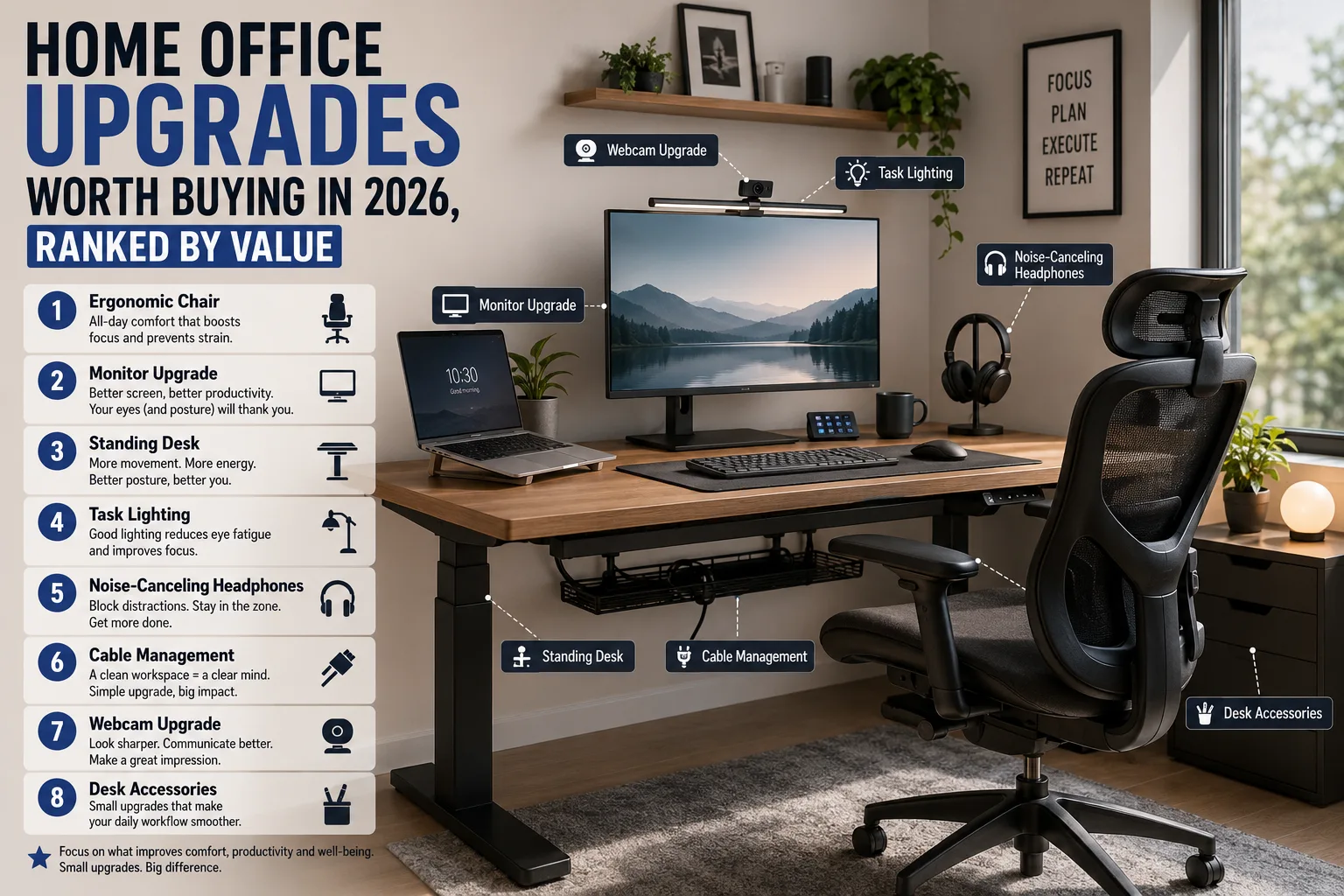
Most home office advice is a shopping list. This one is ranked by how much each upgrade changes your working day per pound spent — which is why the expensive chair is at the top and the mechanical keyboard is not on the list at all.
The ranking
- A proper chair — the single biggest change
- Monitor at the right height — free to fix
- Task lighting — under $75
- A second monitor or ultrawide
- A decent microphone
- Standing desk or converter
- Cable management
- Keyboard and mouse that fit your hands
1. Herman Miller Aeron (Remastered) — highest impact
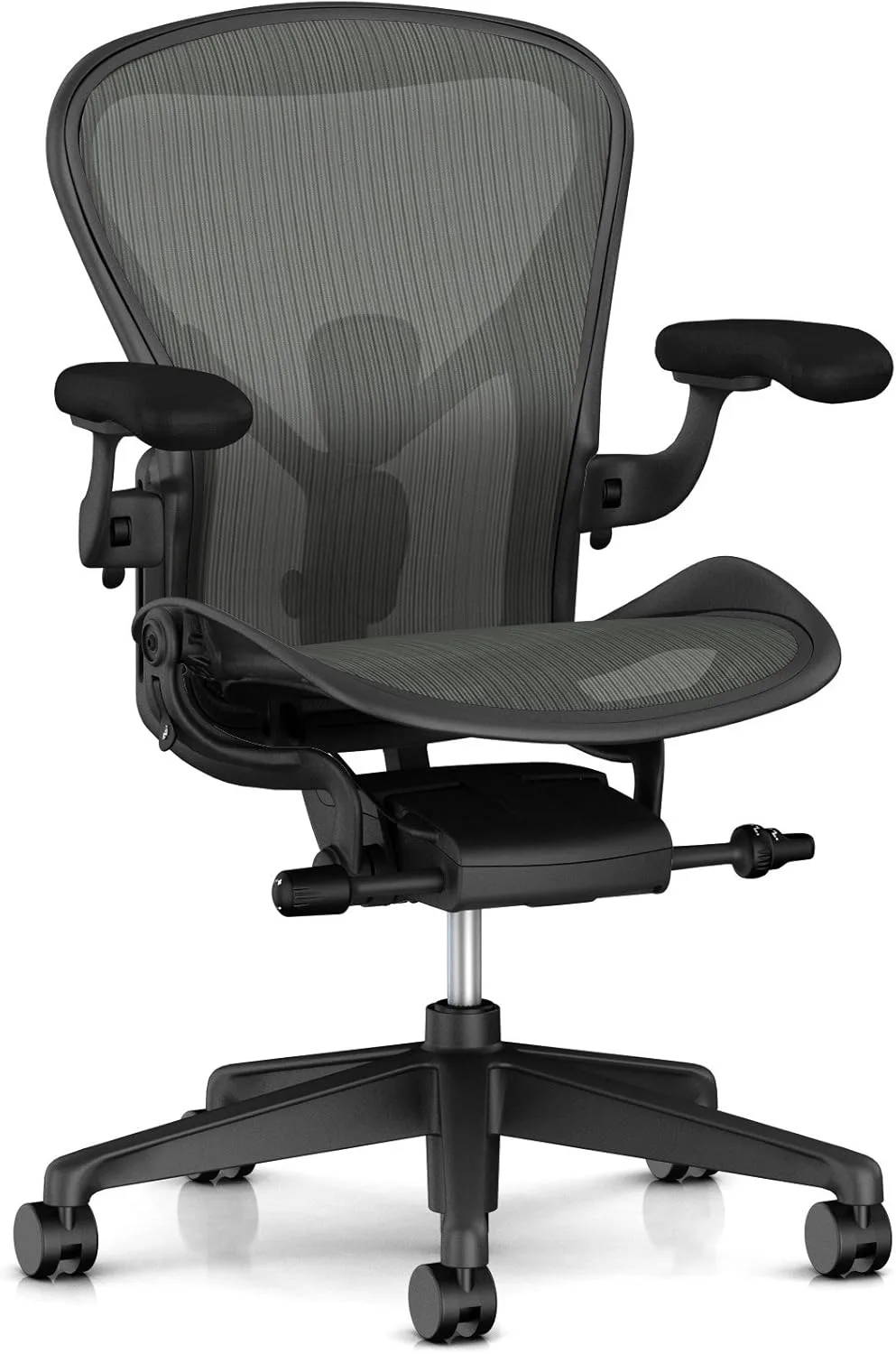
Nothing else here affects eight hours a day as directly. You do not have to spend $1,900 — but you should spend more than $250, insist on adjustable lumbar support and armrests, and sit in it before committing if you possibly can.
Buy it if you work full-time at a desk. If you sit for under two hours a day, this is over-buying.
2. Steelcase Leap V2 — best padded alternative
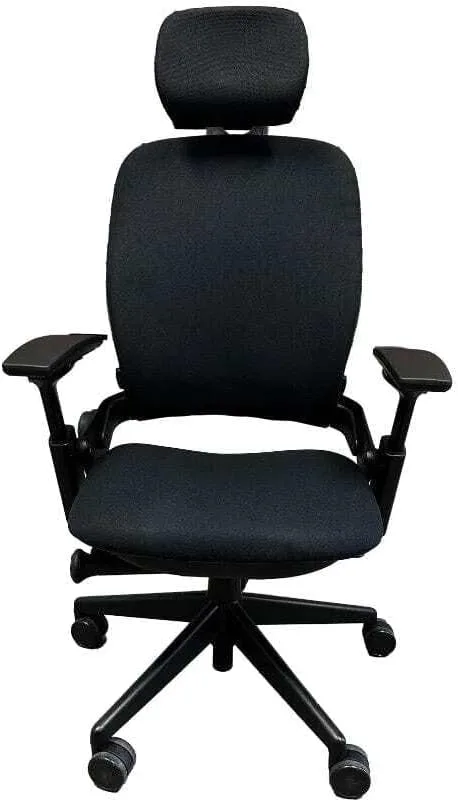
If you dislike the firmness of mesh, the Leap is the alternative worth the same money. Its backrest flexes as you move rather than holding one fixed curve, which suits people who shift position constantly.
Buy it if you want padding and a deep recline. Choose the Aeron instead if your room runs warm.
3. Monitor height — the free fix
The top of your screen should sit at or just below eye level, about an arm's length away. Most laptop users work around 20cm too low, which is why their neck aches by mid-afternoon. A $40 monitor arm — or a stack of books — fixes a problem no amount of stretching will.
4. Task lighting
Screen glare and a dark room are the two biggest causes of end-of-day eye strain. A bias light behind the monitor plus a task lamp to one side — never directly behind you — costs under $75 and makes long days measurably easier.
5. Audio before video
A $81 USB microphone will improve how you come across on calls far more than a $400 webcam will. People tolerate a mediocre picture and leave meetings over bad sound.
6–8: diminishing returns
A second monitor is transformative if you reference documents constantly and clutter if you do not. Standing desks help only if you actually alternate — most people stop within a month, so try a $54 desktop converter before spending $500. Cable management costs almost nothing and makes the desk feel twice as considered.
Prices were correct at the time of writing and are re-checked automatically, but retailers change them often — confirm on the retailer's page before buying.
Is a standing desk worth it?
Only if you use it. The benefit comes from alternating positions, not standing all day. Try an inexpensive converter before buying an electric desk.
How much should I spend on a chair?
$400–$700 buys a genuinely good ergonomic chair. Above that you are buying longevity and warranty; below $250 you are buying a chair you will replace.
One big monitor or two smaller ones?
Two screens for referencing while you write; one ultrawide for timelines and wide spreadsheets. Two is usually cheaper.